What you can do in the plan
Each part of the app, in the order of its menu, then the things that work across all of it. Couples and planners get every one.
Overview
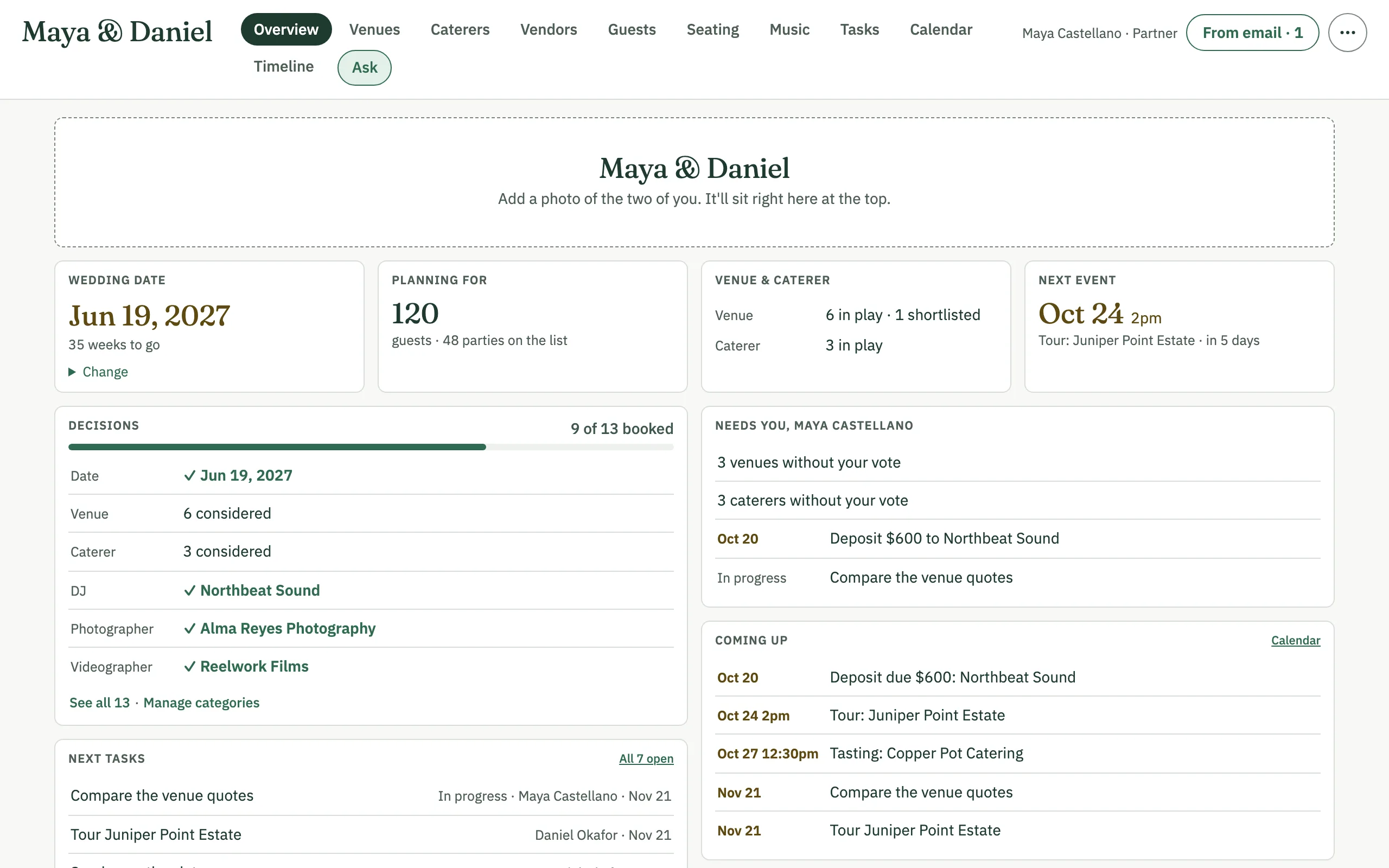
Where the plan stands, on one page: the wedding date and the weeks to go, how many guests you're planning for, which decisions are made and which are open, and what's coming up. Its Needs you list is your own: venues and caterers you haven't voted on, payments due within two weeks or overdue, and your tasks in progress.
Venues
Each venue shows its estimated total at your guest count, worked out from its per-person price, rental, ceremony fee, other fees, bar pricing and charges such as service and tax. You choose the count prices use: the A list, the A and B lists, the guests you expect, or a number you type.
- A map of the venues, tours on the calendar, and votes and comments from everyone planning.
- Compare up to three side by side, or print the shortlist.
- Add a venue from a quote, or read a new quote into one: AI proposes the values and only the ones you tick are saved.
- Read pricing with AI: it reads the venue's saved details and files and proposes its bar and package pricing, which you review before anything is saved.
Caterers
Like Venues, without the map: each caterer's estimate at your guest count, from its per-person price, staffing, rentals and other fees. Votes and comments, Compare up to three, print, and Add from quote. A caterer can be marked for another event, such as a rehearsal dinner.
Vendors
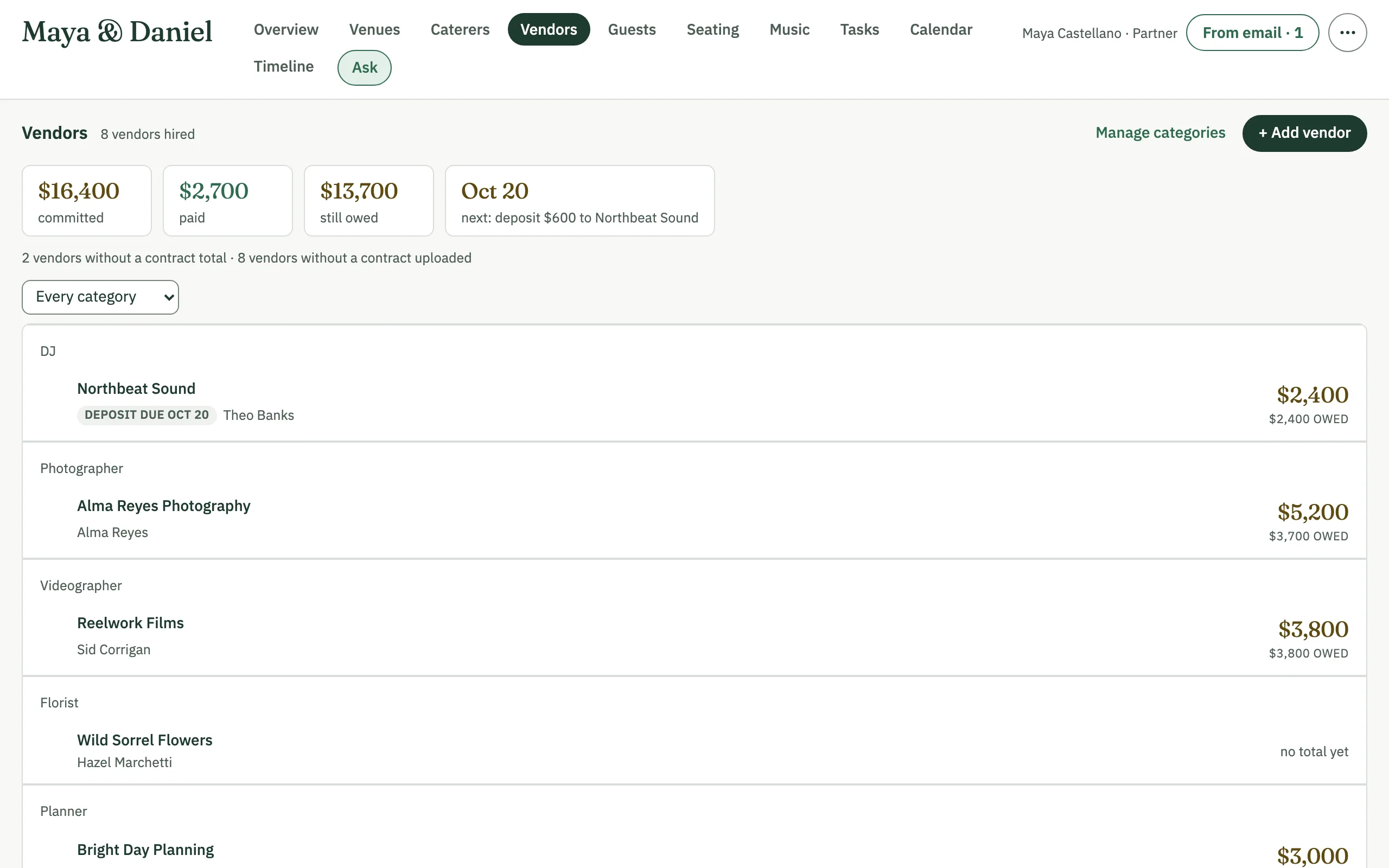
The vendors you've hired, by category, each with its contract total, deposit and balance, their due and paid dates, and the contract and other files. The totals on top show what's committed, paid and still owed, and the next payment due. A venue or caterer you mark Booked joins the list by itself. Manage categories to say which kinds of vendor you still need.
Guests
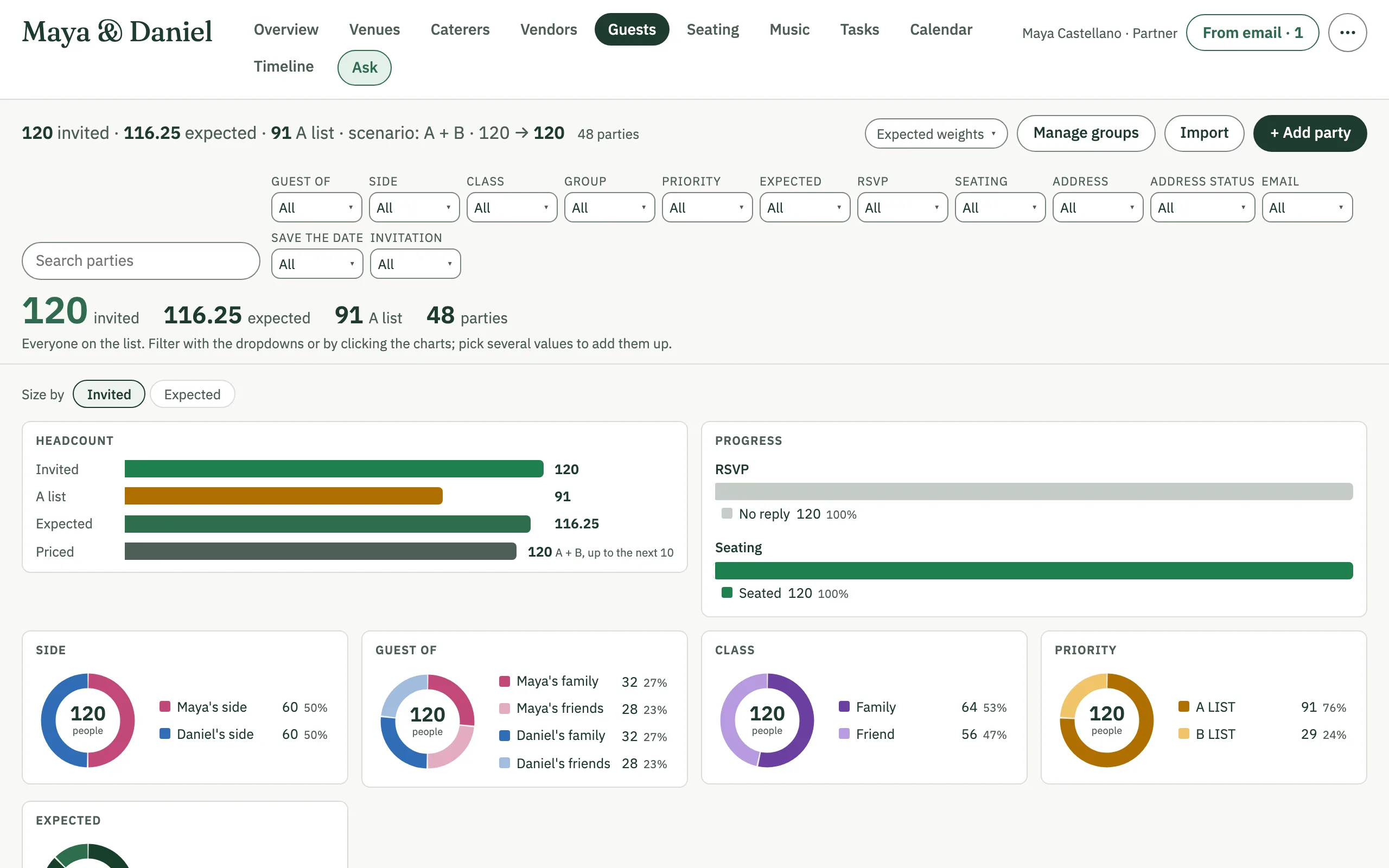
The guest list by party, each with whose guest they are and on which side. Filter by side, group, RSVP and more, or by clicking the charts; change many parties at once; import a list by pasting it or from a CSV file. Mark how likely each party is to come and the list gives the number you expect, which can be the count that prices the venues and caterers.
Seating
The room drawn to scale, with its tables, chairs and a dot for every guest, colored by side, by RSVP or by another detail you choose. Drag parties onto tables, or tap a party and then a table on a phone, with undo and redo.
- Suggest seating builds a new room with every table it needs and seats everyone, or seats the unseated in the room you have.
- Smart seating reads the rules you write, such as who sits together and who sits apart, and shows its plan; nothing changes until you apply it.
- Save arrangements and go back to one, present the room full screen, save it as an image, or print it.
Music
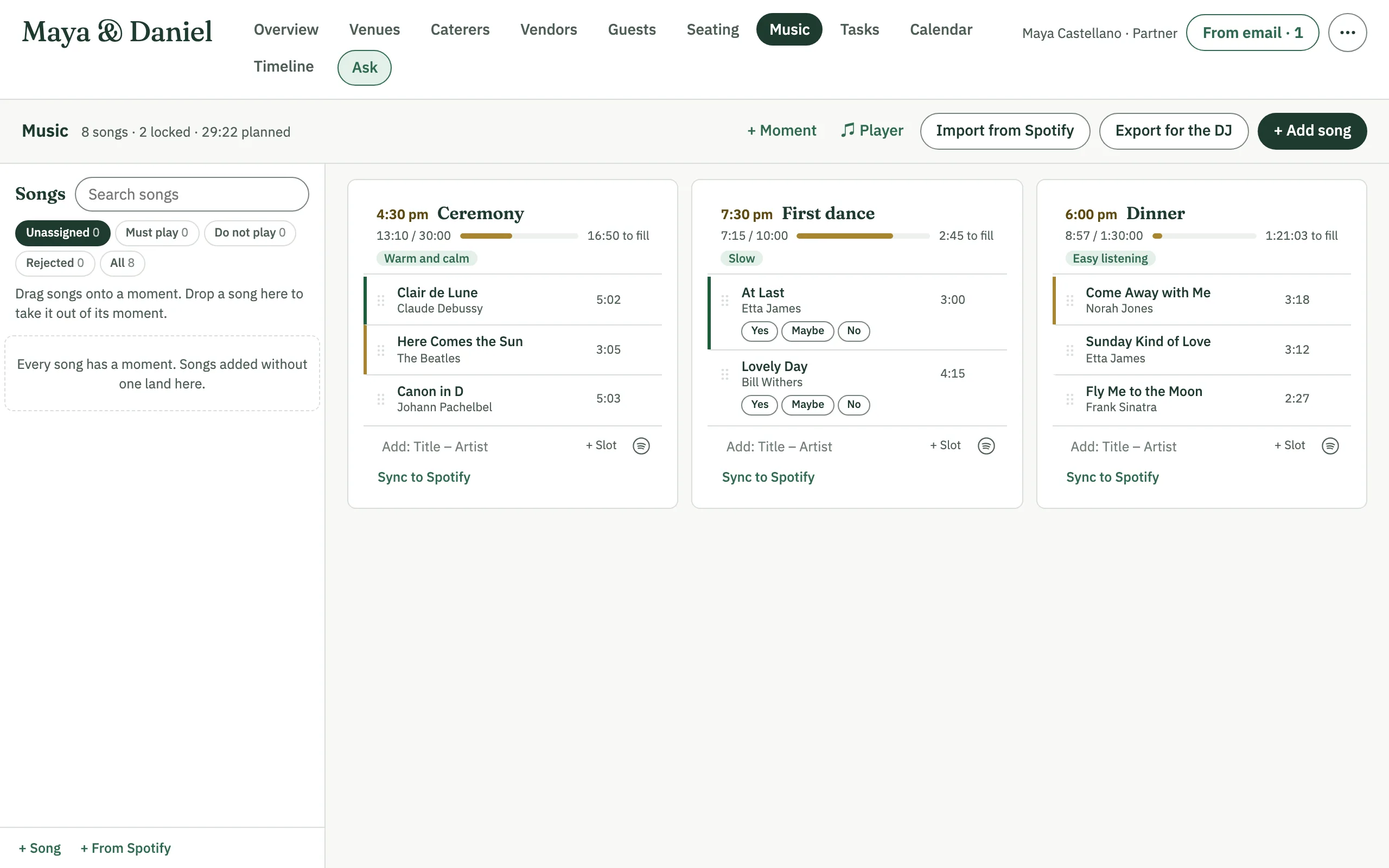
Songs for each moment of the day, in order, with the running time against how long the moment lasts (the Timeline sets that). Keep Must play and Do not play lists, leave open slots for the DJ to fill, vote on songs, and give the DJ a printed or CSV run of show.
Link Spotify to search for songs, import a playlist, play songs, and sync a moment's songs to a Spotify playlist.
Tasks
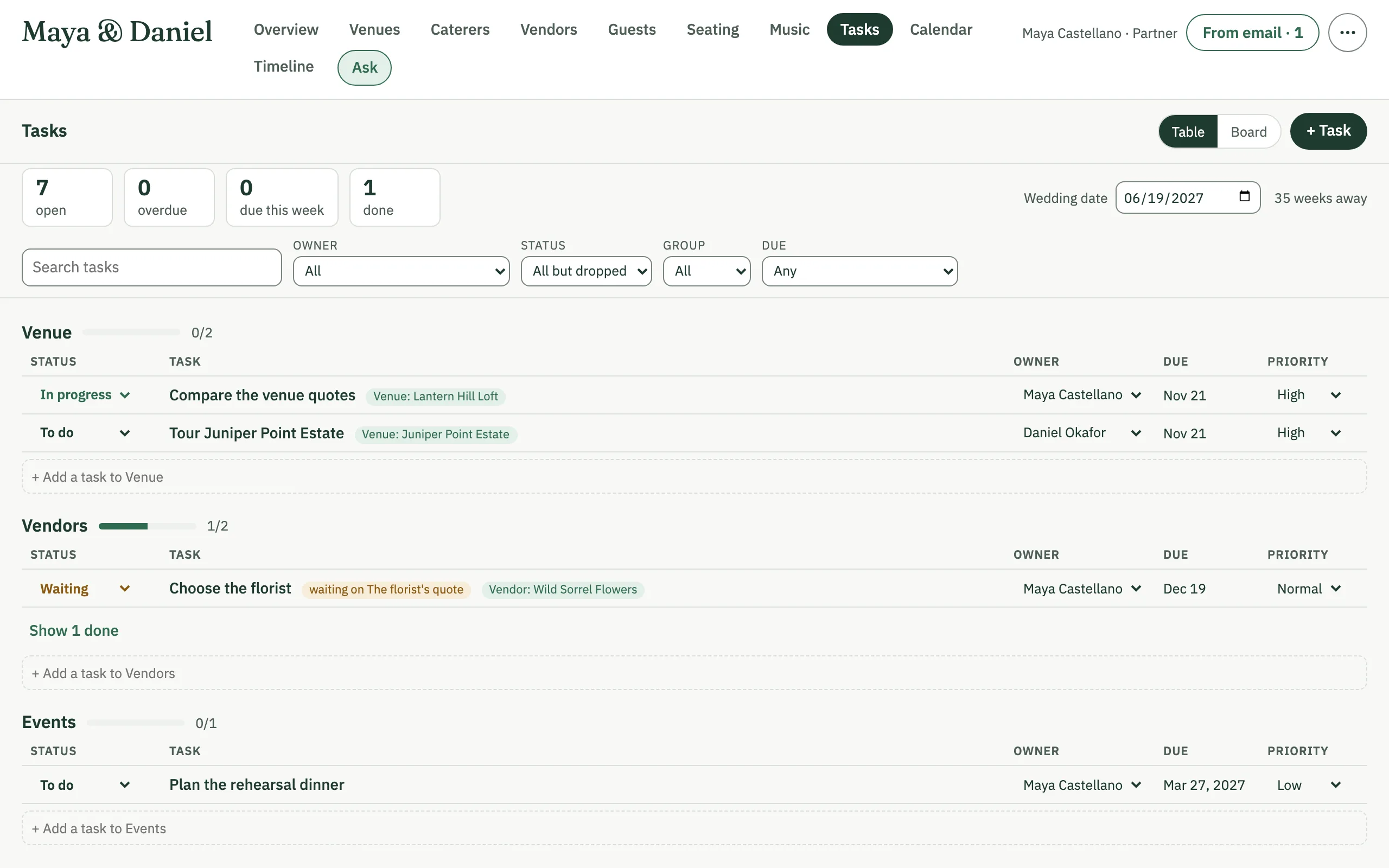
Tasks with an owner, a status, a priority and a due date, as a grouped list or a board, with subtasks, notes and files. A task can link to the venue, vendor or anything else it's about. Give tasks a number of weeks before the wedding, and Fill due dates works out their dates, after showing you what it will set.
Calendar
Tours, tastings, payments due, task due dates and the wedding day on one month, or as a list on a phone; each links to where you change it. Owners and editors can subscribe in Apple Calendar, Google Calendar or Outlook, or add the private link to another calendar app.
Timeline
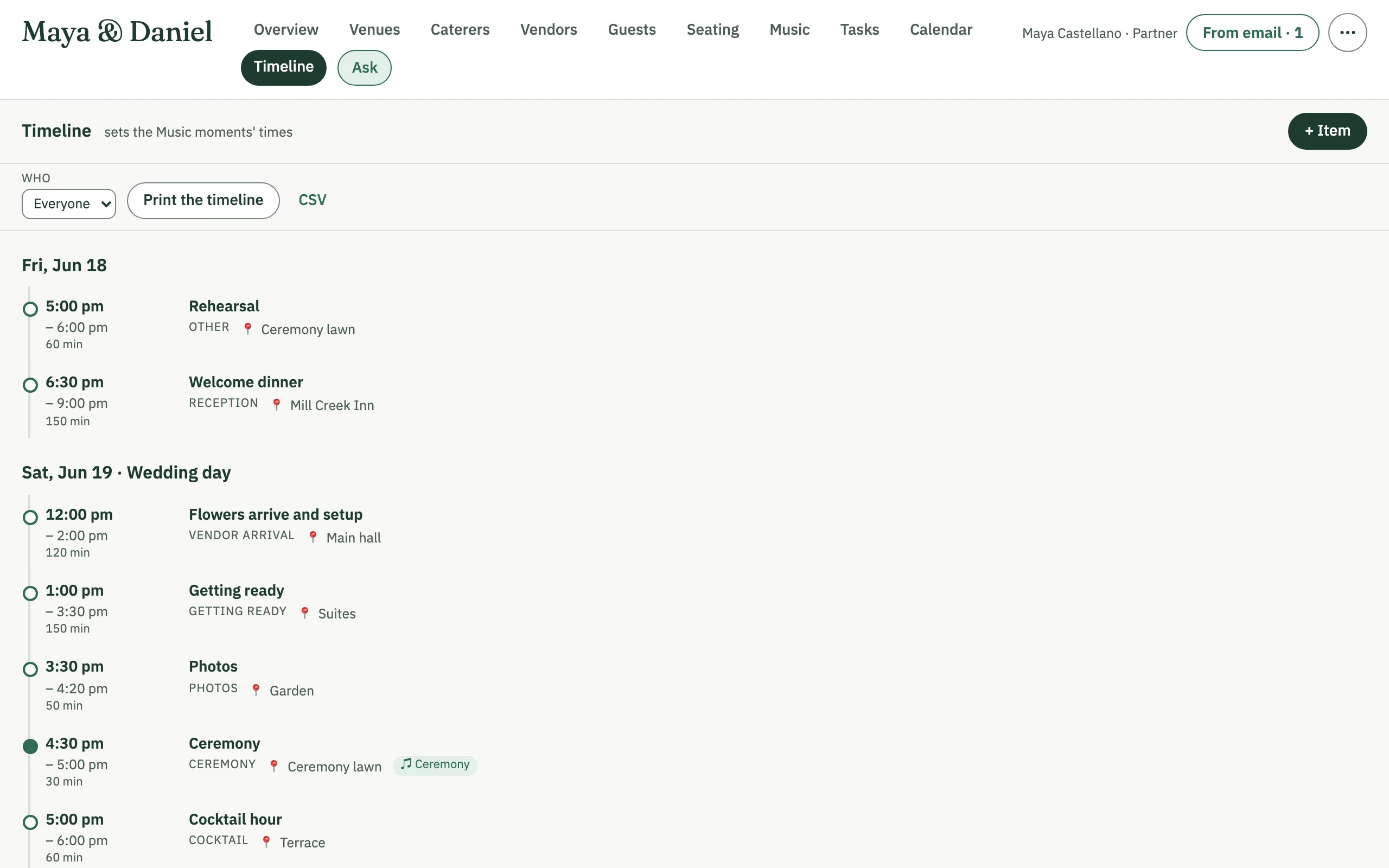
The wedding weekend's schedule, day by day, each item with its time, length, place and who's involved. It flags clashes, like one person booked for two things at once or an item running into the next one in the same place. Narrow it to one person or vendor, move an item and everything after it that day by some minutes, print it, or download it as a CSV file. Its times set the Music moments'.
Members
Everyone planning the wedding, with their title and access. Owners invite people by email as editors, who can change the plan, or viewers, who can look but not change it, and can change an editor's or a viewer's access later. A planner keeps every wedding they plan under one sign-in.
Ask the planner
Ask a question about the plan in plain words, such as "Which venues on the shortlist can seat 150 guests?", and AI answers from what's in the plan. It answers only and changes nothing. Ask a follow-up, and when an answer is about a set of guests, Show these guests opens that list in Guests. Viewers can ask too.
The wedding's email address
Each wedding has its own email address. Forward or CC a vendor's email to it, and AI reads the email and its attachments and proposes the update to the venue, caterer or vendor it's about. You tick the changes and the attachments to keep; nothing changes until someone applies it. An owner can get a new address at any time.
Wedding settings
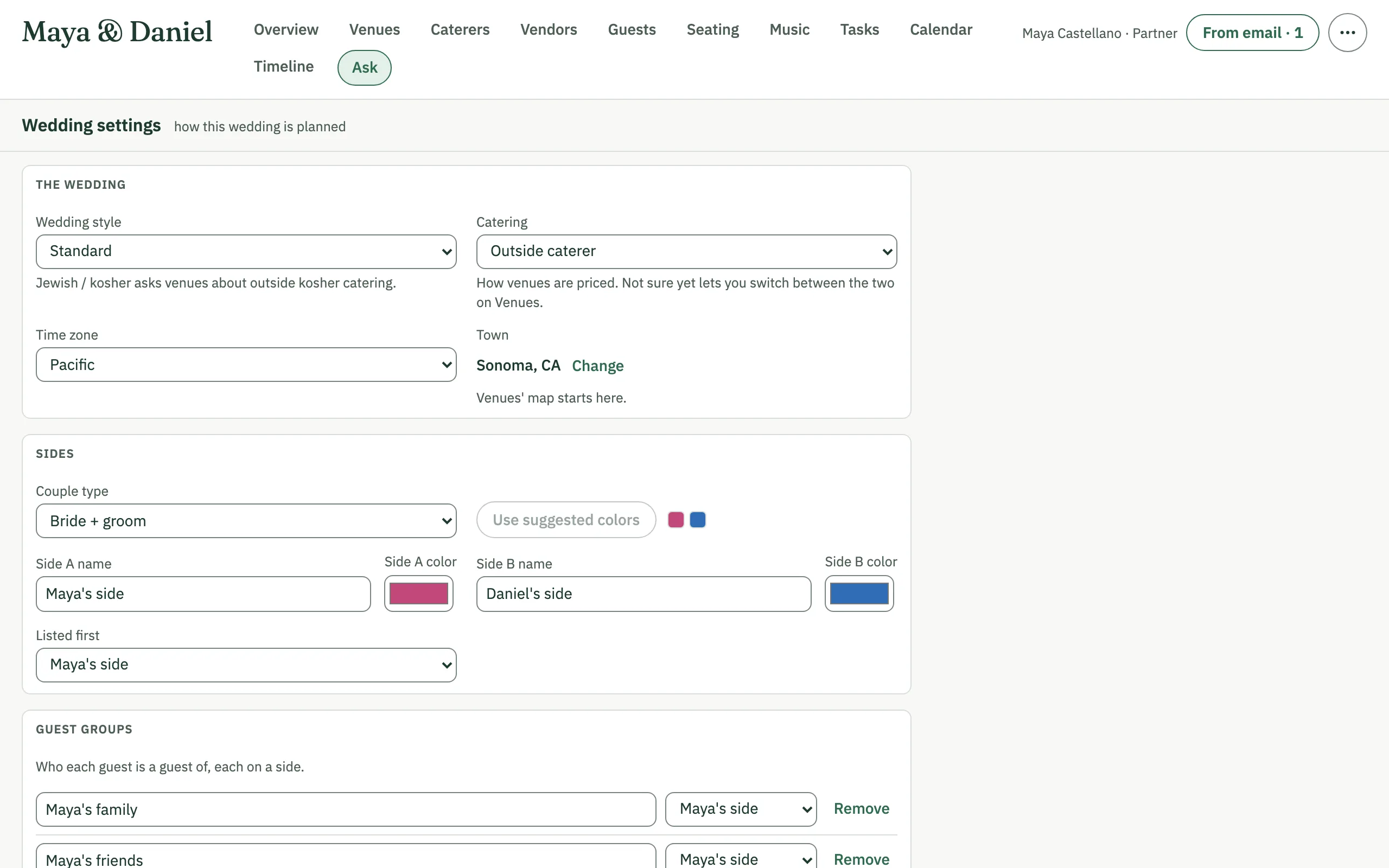
Owners set how the wedding is planned: its style; the catering (the venue's own, an outside caterer, or not sure yet), which sets how venues are priced; the two sides' names and colors and which is listed first; the time zone; the town, where Venues' map starts; and the guest groups. Only owners can change them.
How AI is used
Some features use AI provided by Anthropic to read quotes, pricing and emails, answer questions and suggest seating.
AI can misread a document or get a number wrong. Check what it suggests against the original before you rely on it, especially prices, dates and contract terms.
Nothing the AI proposes changes your plan until a person chooses to apply it.
The Terms of Use say the same.
You are invited
Have an invitation code?
Sign up with it, then set up your wedding in a few steps.